You're In!
Welcome to the Fasting [No]
Lunch Course.
Let's get you connected to your course community.
Next Steps to Access Your Course
Download the Toward Health App
Get instant access to your course message board, connect with fellow participants, and receive important course updates directly on your mobile device.
Already have the app? Great! Skip to Step 2.
Verify Message Board Access
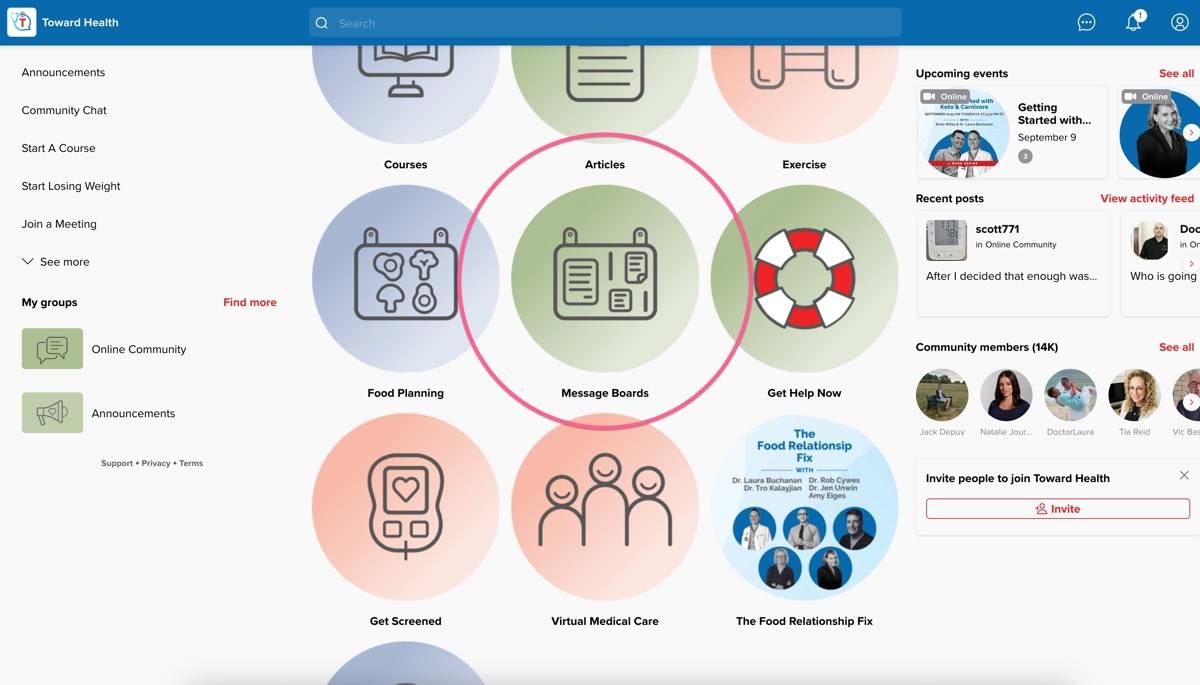
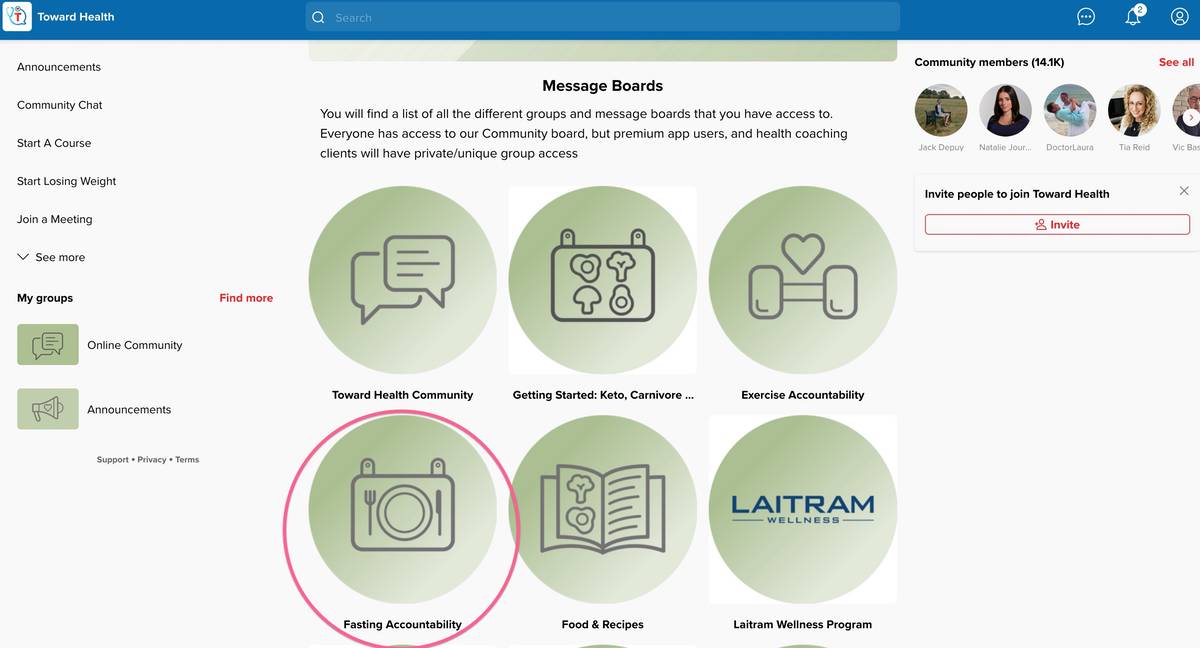
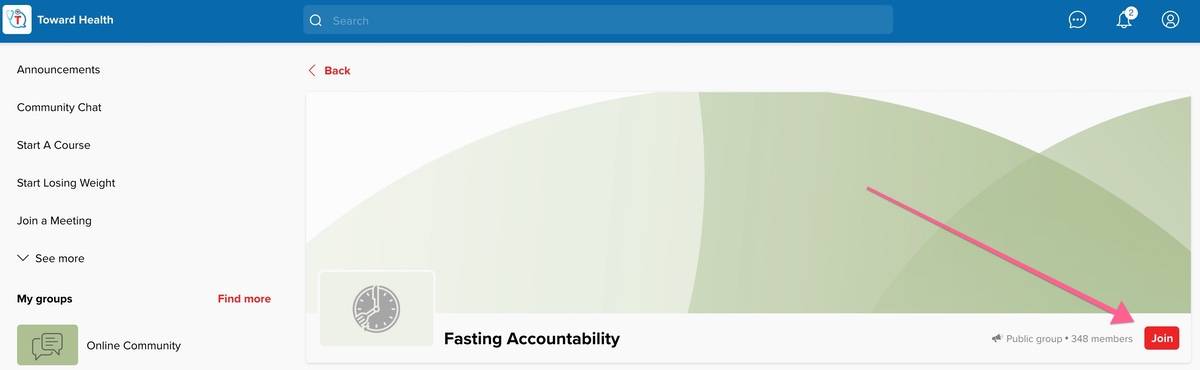
Once you have the app installed (or if you already had it), sign up for free access or log in, then verify you can see your course message board.
📱 Step-by-Step App Navigation:
Need Help? We've Got You Covered
If you're having trouble accessing your course message board after following the steps above, don't worry – our support team is here to help you get connected quickly.
Can't Access Your Course?
Contact Support: [email protected]
Please include your name and the email address you used to register for the course.
This confirmation page will remain available at this URL for your reference.